Cipet! - Pickpocketing in angkot game


Category:
iOS Game
Position:
Lead Coder
Duration:
2 weeks
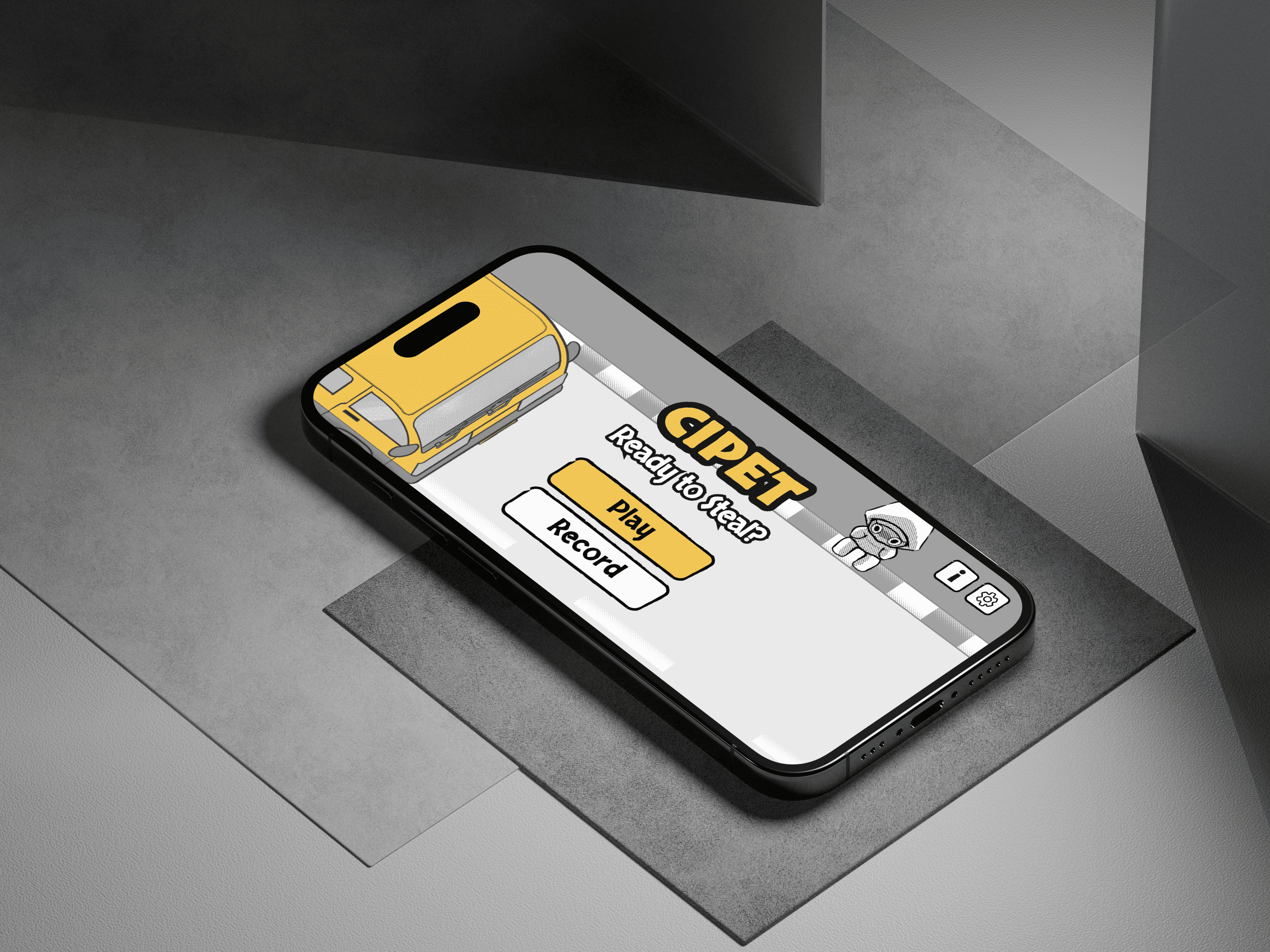
In Cipet! the player acts as a thief doing pickpocket runs inside an angkot, a shared public minibus in Indonesia. First, the player picks their target when the angkot arrives. After that, the player picks a seat strategically. Once the round starts, the player repeatedly watches the passengers, looks for a moment of distraction, keeps an eye on the target, attempts to steal, and reacts before the passengers and the target become aware.
Different passengers create different opportunities. A sleepy passenger may be vulnerable while dozing off, someone listening to music tunes out the world around them, and a pair of friends talking to each other are not paying attention to anyone else. The fun comes from making quick risk versus reward decisions in a very limited space. Because everyone sits close together, even a simple steal attempt can quickly turn tense or chaotic.
I was the lead programmer on the game's flow: picking a target, the steal itself, how each round gets harder, and the first few minutes that teach a new player how to play without a manual.
Cohesion
Every part of Cipet supports one central experience: finding opportunities inside a crowded, compact space. The angkot layout keeps passengers physically close together, while each character's behavior gives the player visual information about when they are distracted or becoming aware. Cues like headphones, head movement, and changing facial expressions let players read a passenger's state without relying on text. The stealing mechanic, the awareness system, passenger behavior, character reactions, sound, and the UI all support that same decision. Keeping the environment, the mechanics, and the visual information simple lets the player focus on watching and timing instead of learning a complicated system.
My Approach
Every screen is built on one shared layout so a seat, a warning bar, and a tutorial hint always sit in the right place no matter what iPhone the game runs on. Difficulty is not scripted by hand. Each passenger is given their own numbers when a round starts, how easily they can be robbed, how fast they notice, how long they stay calm, but always rolled the same safe way so a bad roll never makes a round impossible. The game also gets a little harder every few rounds on a steady schedule, so the difficulty curve builds up in a way that feels fair rather than random.
The Challenges
The whole idea is "hold anywhere to steal," and that only works if the hold starts the moment a finger touches the screen. At first it did not. On a real phone, holding near the edge of the screen felt slow or did not register at all, especially since the phone was already checking whether that touch was the start of one of its own gestures. It worked fine in the simulator, so the delay only showed up once I tested on an actual device, which made it easy to miss.
How I Solved Them
I looked for the real cause instead of covering it up. The fix was to bypass SwiftUI's gesture layer and read touches directly through UIKit, using touchesBegan on a raw gesture recognizer instead of a DragGesture. SwiftUI's own gestures sit on top of UIKit and wait for iOS's system gesture gate, the layer that decides whether a touch near the screen edge belongs to the app or to a system gesture like swipe-back or Control Center, before they fire. The system gesture gate still gets to make its own call afterward, and system gestures still work, but the game is no longer waiting on its verdict first. I paired that with a gentle haptics that repeats for as long as the player holds, controlled by a slider in settings, and moved the sound effects so they never slow down what the player's finger is doing. The suspicion bars got the same kind of fix: a bar only shows up once a passenger is actually calm and watching, fades if they look away, and keeps draining even during the moment right after getting caught, so being spotted still costs the player something.
What I Built
A difficulty system that gives each passenger their own numbers every round, always in a fair order, getting slightly harder as rounds go on
A suspicion system tied to how each passenger is animated, instead of a separate hidden timer
A touch system so holding to steal starts the instant a finger lands, anywhere on screen
A repeating haptics while holding, with its strength controlled by the player in settings
A shared layout system every screen in the game is built on
A full tutorial built from the real game's art and pieces, shown only once
What I Took From It
The lesson was that slow and broken can feel exactly the same in someone's hand, but need completely different fixes. My first instinct was to smooth over the delay. The real fix came from understanding why the delay was there in the first place and working around it, not from hiding the symptom. I also learned not to trust a simulator for anything about how a touch feels on glass. If it is about the feel of a finger on the screen, it gets tested on a real phone or it does not count as tested.


